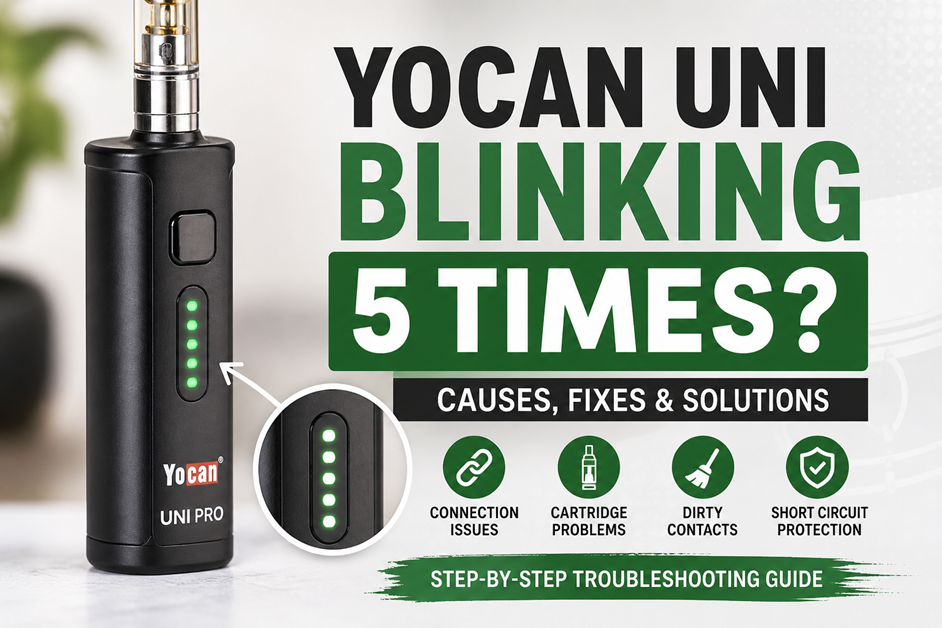
If your Yocan UNI Pro 510 vape battery blinks 5 times, you’re not alone—and the good news is, it’s usually an easy fix. This guide breaks down exactly what the blinking means, why it happens, and how to fix it fast, so you can get back to vaping without frustration.
⚡ What Does “Yocan UNI Blinking 5 Times” Mean?
Most 510-thread vape batteries—including the Yocan UNI series—use LED signals to communicate errors.
👉 5 blinking lights usually mean:
- Poor or loose cartridge connection
- Short circuit detected
- Dirty or misaligned contact pin
Think of it as your device saying: “Something isn’t connecting properly.”
🛠️ Common Causes of Yocan UNI Blinking (5 Times)
Here are the most frequent reasons your device is acting up:
1. Loose or Improper Cartridge Connection
If the cartridge isn’t screwed in correctly, the battery won’t detect it.
2. Dirty 510 Thread Connection
Oil residue, dust, or debris can block conductivity.
3. Over-Tightened Cartridge
Ironically, tightening too much can push the contact pin down, breaking the connection.
4. Faulty or Incompatible Cartridge
Not all 510 carts are created equal—some have uneven pins or defects.
5. Internal Short Circuit Protection
Your battery may be preventing damage by detecting abnormal resistance.
🔧 How to Fix Yocan UNI Pro Blinking 5 Times (Step-by-Step)
Follow these fixes in order:
✅ Step 1: Remove and Reattach Cartridge
- Unscrew the cartridge
- Reattach gently (not too tight)
✅ Step 2: Clean the Connection Points
- Use a cotton swab + isopropyl alcohol
- Clean both:
- Battery contact pin
- Cartridge base
✅ Step 3: Adjust the Contact Pin
- Use a toothpick or a small tool
- Slightly lift the center pin on the cartridge (if pushed down)
✅ Step 4: Try a Different Cartridge
- Helps rule out a defective cart
✅ Step 5: Check the Magnetic Adapter (UNI Pro Specific)
- Ensure the adapter is screwed into the cartridge properly
- Make sure it sits flush inside the device
📊 Quick Troubleshooting Table
| Issue | Likely Cause | Fix |
|---|---|---|
| Blinks 5 times immediately | No connection | Reattach cartridge |
| Blinks after button press | Short circuit | Clean + adjust pin |
| Works intermittently | Loose adapter or cart | Tighten gently |
| Still blinking after cleaning | Faulty cartridge | Replace cartridge |
💡 Pro Tips (From Experience)
- Don’t overtighten — this is the #1 cause of connection issues
- Clean your device once a week if you vape regularly
- Use high-quality cartridges to avoid inconsistent pins
- Store your device upright to reduce oil leakage into the threads
⚠️ When It Might Be a Battery Issue
If you’ve tried everything and your Yocan UNI blinking 5 times persists:
- The internal circuitry may be damaged
- The contact plate could be worn out
- The battery may need replacement
👉 Most vape batteries have a lifespan of 3–12 months, depending on usage.
🧠 Key Takeaways
- 5 blinks = connection or short circuit issue
- Start with simple fixes: clean, reattach, adjust
- The cartridge is often the real problem—not the battery
- Regular maintenance prevents most issues
❓ FAQ: Yocan UNI Blinking Issues
1. Why does my Yocan UNI blink 5 times and won’t hit?
It usually means the battery can’t detect the cartridge due to a loose connection or dirty contact point.
2. Is blinking 5 times a dead battery?
No. A dead battery typically won’t light up at all or may blink differently. Five blinks specifically indicate a connection issue or a short.
3. How do I fix a short circuit on a vape pen?
Clean the contacts, ensure proper alignment, and avoid damaged cartridges. If the issue continues, try a different cart.
4. Can a bad cartridge cause blinking?
Yes—this is one of the most common causes. Faulty or low-quality cartridges often have inconsistent contact pins.
5. Should I replace my Yocan UNI battery?
Only if troubleshooting fails. Try multiple cartridges first before replacing the device.
✅ Final Thoughts (Actionable Takeaway)
If your Yocan UNI Pro is blinking 5 times, don’t panic—it’s almost always fixable in under 5 minutes. Start with cleaning and reseating your cartridge, and work your way through the steps above.
If you’re still having issues, it might be time to upgrade your cartridge—or your device.