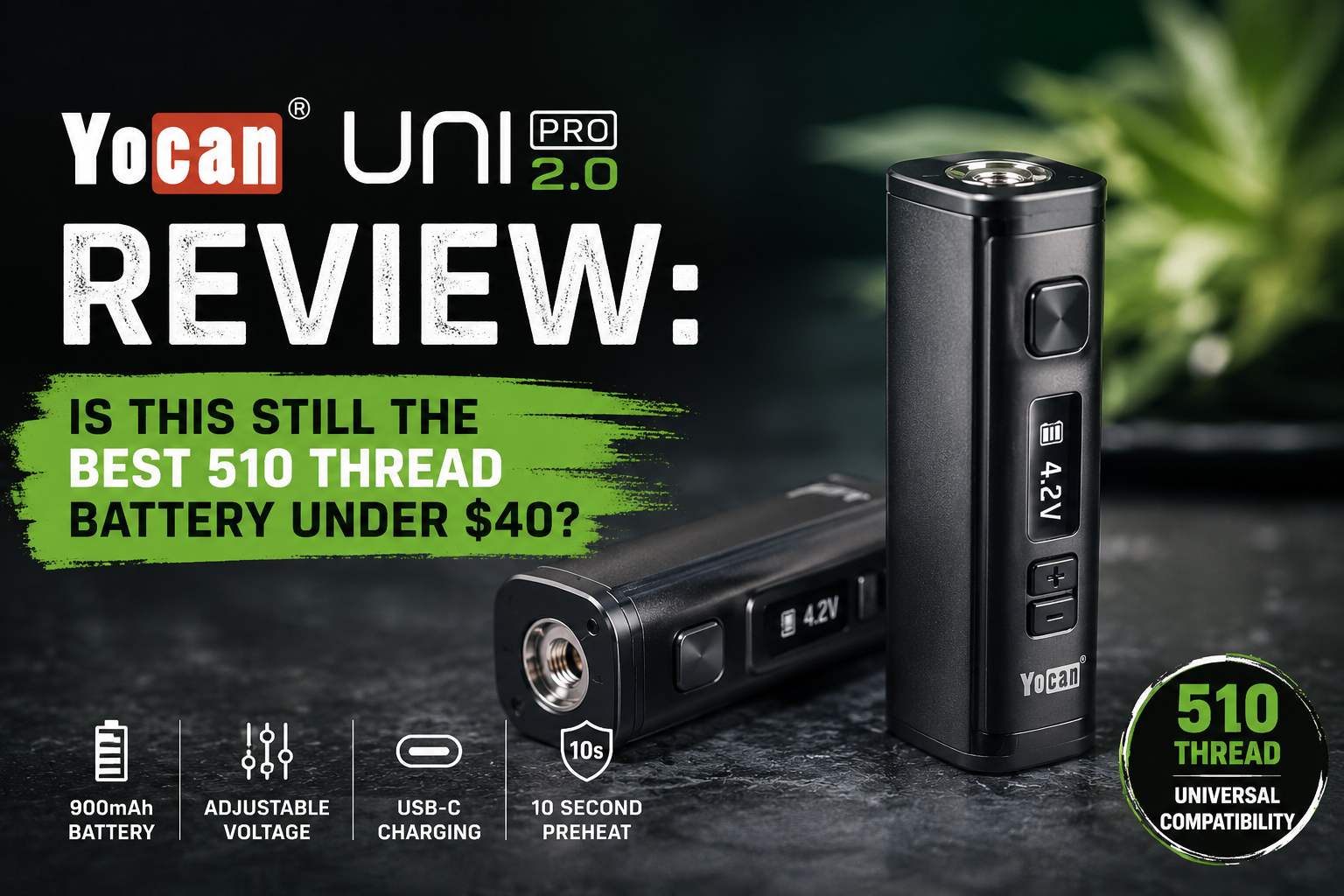
If you’ve ever watched a quality oil cartridge get torched by a cheap pen battery — harsh hits, burnt terpenes, a dead coil halfway through — you already know the problem the Yocan UNI Pro 2.0 was built to fix.
The original UNI Pro became one of the best-selling 510 thread batteries of the last five years, and the 2.0 is Yocan’s attempt to keep it there: a metal body, USB-C charging, and a wider voltage range on top of the same adjustable “one box mod fits all” chassis.
But does the upgrade justify your money — especially now that Yocan sells a whole family of near-identical UNI devices? In this review, we go beyond the spec sheet. We’ll cross-check Yocan’s official claims against independent reviews, flag the spec conflicts that most articles silently copy-paste, break down the real cost-of-ownership math behind the magnetic 510 system, and give you a practical voltage dial-in framework you can use with any cartridge.
By the end of this article you’ll know:
- Exactly what changed from the original UNI Pro (and what didn’t)
- Whether 650mAh is actually enough battery for your usage pattern
- Which oil viscosities pair with which voltage bands
- Who should buy the UNI Pro 2.0 — and who should spend $5 more on the UNI Pro Plus instead
Quick Verdict
Our rating: 4.4 / 5 — Editor’s pick for best value 510 battery under $40
| Best for | Daily cart users upgrading from pen-style batteries; anyone who wants precise voltage control without app complexity |
| Skip if | You’re a heavy user who needs multi-day battery life (get the 900mAh UNI Pro Plus), or you want draw-activation |
| Street price | Typically 30–40 depending on retailer |
One-line verdict: The Yocan UNI Pro 2.0 isn’t a revolution — it’s the refinement that fixes the original’s two real complaints (micro-USB and a plasticky shell) while keeping the feature set that made it famous.
What Is the Yocan UNI Pro 2.0?
Released in early 2022, the UNI Pro 2.0 is the second-generation flagship of Yocan’s UNI line of 510 thread box mod batteries — rectangular, pocket-sized devices that house and power pre-filled or refillable oil cartridges (Yocan Vaporizer).
Unlike slim pen batteries that lock you into one fixed output or three vague presets, the UNI Pro 2.0 offers voltage adjustment in 0.1V increments, a readable OLED screen, and — its signature trick — a patented height-and-width adjustment system that physically adapts the chamber to fit almost any 510 cartridge, from skinny half-grams to wide ceramic tanks (Yocan.com).
One detail most reviews miss: according to Yocan’s own forum documentation, the UNI Pro 2.0 is distributed as an exclusive product through Yocan’s partner True Wholesale — one reason pricing and availability vary more between retailers than with the standard UNI Pro (Yocan Forum). If the price you’re quoted looks strange, that’s why.
Yocan UNI Pro 2.0 Specs at a Glance
| Specification | Detail |
|---|---|
| Battery capacity | 650mAh (internal, non-swappable) |
| Voltage range | 1.8V – 4.2V in 0.1V steps (25 settings) |
| Preheat | 10 seconds at 1.8V (double-click power button) |
| Display | OLED — voltage, battery level, resistance, mode |
| Charging | USB Type-C |
| Connection | Magnetic 510-threaded adapter ring |
| Body | Zinc alloy with scratch-resistant metallic finish |
| Dimensions | 36.5 × 25.7 × 75.5mm (Yocan official) |
| Compatibility | Any standard 510-thread oil cartridge |
| Protections | Short-circuit cutoff, “no atomizer” warning, 15-second auto shutoff |
| In the box | Box mod, magnetic 510 ring, USB-C cable, user manual |
| Warranty | 30 days (standard Yocan policy) |
Sources: Yocan official product page, Yocan official manual, Daily High Club review.
⚠️ Spec Conflict Watch: Two Details Retailers Get Wrong
While researching this review, we found two inconsistencies repeated across otherwise reputable sources — worth knowing before you judge the device by someone else’s numbers:
- Dimensions. Yocan’s official spec is 36.5 × 25.7 × 75.5mm, identical to the original UNI Pro. However, The Vapers Guide’s hands-on review lists 69 × 44 × 22mm — measurements that don’t match any official Yocan documentation. Always treat retailer-copied specs skeptically.
- Body material. Yocan markets the 2.0’s zinc alloy body as its headline upgrade over the original’s plastic shell. Yet The Vapers Guide’s test unit reported an ABS plastic matte finish, while Tools420’s review confirmed the metal build but noted the added weight. The most plausible explanation: different production runs or retail variants exist — buy from authorized sellers if the metal chassis matters to you.
This is the kind of spec drift that makes “definitive” comparisons across the web unreliable, and it’s a big reason we anchored this review to Yocan’s own documentation first.
What Actually Changed From the Original UNI Pro?
The 2.0 is an iterative release, not a redesign. Here’s the honest delta:
| Feature | UNI Pro (2019) | UNI Pro 2.0 (2022) |
|---|---|---|
| Body | Plastic / rubberized coating | Zinc alloy metal |
| Charging | Micro-USB | USB Type-C |
| Voltage floor | 2.0V | 1.8V |
| Battery | 650mAh | 650mAh (unchanged) |
| Display | OLED | OLED (unchanged) |
| Fit system | Height/width adjustable | Height/width adjustable (unchanged) |
Three upgrades, one quiet one. The metal body and USB-C are obvious — but the lowered 1.8V voltage floor is arguably the most important change for flavor chasers. The original UNI Pro couldn’t run below 2.0V; the 2.0 now overlaps with the 1.8V preheat band, letting you run ultra-low-voltage sessions that preserve delicate terpene profiles instead of merely preheating them (Yocan.com).
What didn’t change matters too: the battery is still 650mAh. Yocan deliberately trades capacity for concealability — the device stays under three inches tall (Yocan Vaporizer). Heavy users who want more runtime should look at the UNI Pro Plus instead (more on that below).
Design & Build Quality: Metal Where It Counts
The UNI Pro 2.0 keeps the C-frame box shape of its predecessor: the cartridge sits recessed inside the body, protected from pocket lint, drops, and prying eyes, with a viewing window so you can check oil levels without disassembly (Vaping360).
The control layout is refreshingly simple:
- Square fire button above the screen (5 clicks on/off)
- OLED display showing voltage, battery status, and resistance
- Two directional buttons below the screen for ±0.1V adjustment
- Aperture dial around the top that cinches down on cartridge width
- Side slider with three height positions for the 510 platform
At roughly 75.5mm tall, it disappears into a coin pocket or palm — noticeably smaller than nicotine box mods but chunkier than a pen. If maximum discretion is your priority, pen-style batteries win; if cartridge protection and control matter more, this form factor is the trade-off worth making.
The zinc alloy shell is the tactile upgrade here: a scratch-resistant metallic finish that feels denser and more premium than the original’s rubberized plastic. The caveat, flagged by Tools420: metal adds weight, which some users feel during extended pocket carry, and a few test units exhibited minor internal rattle. At this price point, that’s forgivable — but it’s honest to report.
Voltage Control: The Reason This Device Exists
This is where the UNI Pro 2.0 separates itself from 90% of the cart battery market.
Most budget 510 batteries offer three color-coded presets. The UNI Pro 2.0 offers 25 discrete settings from 1.8V to 4.2V, adjusted in 0.1V increments, each displayed numerically on the OLED (Yocan manual). No decoding red-green-blue LEDs. No “medium means medium.” You see the number you’re running.
The Voltage Sweet-Spot Framework
Different oils and atomizers behave differently at different voltages. Based on guidance from Elevate Right’s testing and The Vapers Guide, here’s a dial-in framework you can apply with any 510 cartridge:
| Voltage band | Best for | What to expect |
|---|---|---|
| 1.8V – 2.4V | Thin distillates, terpene-rich carts, flavor-first sessions | Smooth, cool draws; maximum flavor nuance; light vapor |
| 2.5V – 3.2V | Most standard cartridges — the everyday zone | Balanced flavor and vapor; the sweet spot for the majority of carts |
| 3.3V – 3.8V | Thick oils, cold-weather sessions, ceramic coils | Denser clouds, stronger throat hit, faster oil consumption |
| 3.9V – 4.2V | Very viscous concentrates, clog-clearing | Maximum potency per draw; highest burn risk — use sparingly |
The golden rule: start at the bottom and climb in 0.1V steps until the hit satisfies without harshness. Running too high scorches the coil and wastes material — and unlike three-preset batteries, the fine increments here let you find the exact ceiling for each cartridge.
Pro tip: Log each cartridge’s ideal voltage in your phone’s notes app. After three or four carts, you’ll have a personal lookup table — and you’ll never blind-test a new cart at 4.0V again.
OLED Display: Small Screen, Real Information
The screen is small but bright enough to read in daylight, and it surfaces four things the average cart battery can’t tell you:
- Exact voltage — not a color, a number
- Battery status — so a dead hit never surprises you mid-session
- Atomizer resistance — useful for spotting a failing cartridge before it burns
- Error states — “no atomizer” and “shorted” warnings protect both you and your cart (Vaping360)
That resistance readout is quietly one of the most underrated features in this price class: when a cart starts tasting off, the ohm reading often tells you the coil is degrading before your tastebuds confirm it.
Battery Life & USB-C Charging
The 650mAh cell is mid-range for the category, and real-world endurance scales directly with how you vape:
| Usage pattern | Expected runtime |
|---|---|
| Light (10–20 puffs/day) | 2–3 days |
| Moderate (30–50 puffs/day) | 1–2 days |
| Heavy (50+ puffs/day, higher voltages) | Daily charging |
Runtime tiers from The Vapers Guide’s 12-day test; Yocan itself rates the battery at “a day or two” depending on usage.
The 2.0’s USB-C port is the quality-of-life fix. Compared with the original’s micro-USB, charging is faster and power delivery more stable — expect roughly one to two hours for a full charge, and you can use the same cable as your phone (Yocan Vaporizer, Tools420).
Two honest limitations:
- No pass-through charging — you can’t vape while it charges (Elevate Right)
- No swappable batteries — when the cell dies for good, so does the device (though at a $30–40 price point, that’s a reasonable lifespan bet)
Universal Cartridge Fit: The Patented System Explained
This is Yocan’s moat. Two mechanical adjustments make the UNI Pro 2.0 genuinely universal:
1. The aperture dial. Rotating the notched dial on top closes a collar around your cartridge — think camera aperture — eliminating the wobble that plagues fixed-size batteries (Vaping360).
2. The height slider. A side-mounted switch raises or lowers the recessed 510 platform across three positions, so short half-gram carts and tall full-grams both sit flush with the mouthpiece window (Yocan.com).
3. The magnetic 510 ring. Instead of threading cartridges directly into the battery, you screw each cart onto its own magnetic adapter, then drop it in. Swapping carts takes two seconds.
The Cost-of-Ownership Angle Nobody Talks About
Here’s an insight worth bookmarking: on standard 510 batteries, the threaded connection itself is the failure point. Threads loosen and strip over time — and since they’re machined into the battery, the whole device becomes trash.
With the UNI system, the wear happens on a $2 magnetic ring instead of the device. When the connection gets sloppy, you replace the ring, not the battery (Yocan Vaporizer). Over a two-year period of heavy cartridge swapping, that design choice is the difference between buying one battery and buying three.
One catch: only one magnetic ring ships in the box. Without it, the device is unusable. Buy spares the same day you buy the mod — this is the single most common owner complaint across reviews.
Preheat Function: 10 Seconds That Save Clogged Carts
Double-click the power button and the UNI Pro 2.0 runs a 10-second preheat at a constant 1.8V — warm enough to loosen thick, cold, or crystallized oil around the intake holes without extracting or scorching it (Yocan manual). Double-click again to cancel early.
When it shines:
- Cold-weather sessions (thick oil in winter is the #1 cause of clogged carts)
- Older cartridges that have hardened sitting in storage
- First pull on a brand-new cart — preheat primes the wick for an even burn
When to skip it: cotton-wick cartridges can dry-burn during preheat; the function is best reserved for ceramic and silica-wick carts (Vape Guy).
How to Use the Yocan UNI Pro 2.0 (Quick-Start)
- Charge fully via USB-C before first use.
- Attach your cartridge to the magnetic 510 ring — snug, never over-tightened.
- Slide the cart into the chamber; set the height slider so the mouthpiece sits correctly.
- Turn the aperture dial until the cart is gripped firmly with no rattle.
- Power on with 5 quick clicks of the fire button.
- Set your voltage with the +/− buttons (start low!).
- Hold the fire button and draw. Release to stop.
- Power off with 5 clicks when done — or rely on the 15-second auto shutoff for safety.
What Real Users and Reviewers Say
The consensus across hands-on reviews is unusually consistent:
“I simply love this device! Assuming you have a THC or CBD cart, I can’t think of a better option… The customization of the mod and the electronic features make this an easy recommendation.” — Jeremy Mann, Vaping360 (reviewing the UNI Pro platform)
“The box style mod is definitely a trend that will be here to stay in the coming years.” — Tools420, Uni Pro Review
“UNI Pro 2.0 was just what I was looking for, the battery life is amazing and it makes vape hits even more smooth. Love that you can preheat and adjust heat levels more specifically. Heats up the cart quick, even with older ones that have hardened a bit.” — Verified customer, Yocan Vaporizer
The criticism, equally consistent: 650mAh demands daily charging for heavy users, and the single included magnetic adapter is a real usability risk.
Common Problems (and Quick Fixes)
| Problem | Likely cause | Fix |
|---|---|---|
| “No atomizer” on OLED | Loose ring or dirty contact | Reseat the magnetic ring; wipe contacts dry |
| Connection intermittent | Over-tightened 510 ring | Loosen a quarter turn — snug, not strangled |
| Cart rattles inside | Aperture dial not set | Re-dial width to match cart diameter |
| Weak/no vapor on new cart | Oil too thick or airway cold | Run 10s preheat, then fire at 2.8V+ |
| Burnt taste | Voltage too high or dry wick | Drop 0.3–0.5V; preheat before draws |
| Device won’t turn on | Locked or depleted | 5 quick clicks; charge 60+ minutes |
UNI Pro 2.0 vs. the Rest of the Yocan Family
Yocan’s UNI lineup has grown confusing. Here’s the decision matrix, compiled from Yocan’s official comparison:
| Model | Battery | Voltage | Display | Charging | Body | Best for |
|---|---|---|---|---|---|---|
| UNI Pro 2.0 | 650mAh | 1.8–4.2V (0.1V) | OLED | USB-C | Zinc alloy | Metal build + precision |
| UNI Pro (original) | 650mAh | 2.0–4.2V | OLED | Micro-USB | Plastic | Budget pick |
| UNI S | 400–650mAh | 3 presets | LED | USB-C | Zinc alloy | Ultra-compact discretion |
| UNI Twist | 650mAh | 1.8–4.2V | — | USB-C | Zinc alloy | Twist voltage, no screen |
| UNI Pro Plus | 900mAh | 1.8–4.2V | OLED + puff counter | USB-C | Plastic | Heavy users |
The short version:
- Want metal + precision on a budget → UNI Pro 2.0 (this review)
- Want maximum battery life → UNI Pro Plus (900mAh ≈ 38% more capacity)
- Want smallest possible footprint → UNI S
UNI Pro 2.0 vs. the Competition
How does it stack up outside the Yocan family?
| Feature | Yocan UNI Pro 2.0 | Puffco Plus | Typical pen battery |
|---|---|---|---|
| Voltage control | 25 steps, 0.1V | 3 presets | 1–3 presets |
| Display | OLED | LED indicator | LED colors |
| Battery | 650mAh | 520mAh | 280–400mAh |
| Universal cart fit | Yes (adjustable) | Limited/proprietary | No |
| Price | ~$30–40 | ~$50–70 | $10–20 |
Comparison data adapted from Elevate Right.
The pattern is clear: pen batteries are cheaper but disposable in every sense; Puffco leans premium but locks you into presets at nearly double the price. The UNI Pro 2.0 occupies the value apex — full control, universal fit, under $40. If you want draw-activation instead of a button, alternatives like the Tronian Tautron exist, but they sacrifice voltage control entirely (Tools420).
Pros & Cons
Pros
- ✅ 25 voltage settings (1.8–4.2V) in 0.1V increments
- ✅ Bright OLED with voltage, battery, and resistance readout
- ✅ Patented height + width adjustment fits nearly all 510 carts
- ✅ Zinc alloy body, scratch-resistant finish
- ✅ USB-C fast charging
- ✅ 10s/1.8V preheat rescues thick and clogged carts
- ✅ Magnetic rings = cheap replacement part instead of dead device
- ✅ Short-circuit, no-atomizer, and 15s cutoff protections
Cons
- ❌ 650mAh requires daily charging for heavy users
- ❌ Only one magnetic ring included — lose it and you’re stuck
- ❌ No pass-through charging, no swappable battery
- ❌ Spec/finish inconsistencies across production runs (buy authorized)
- ❌ 30-day warranty is short for a device meant to last years
Who Should Buy the Yocan UNI Pro 2.0?
Buy it if you…
- Are upgrading from a pen-style or disposable cart battery
- Switch between cartridges of different sizes and viscosities
- Care about flavor enough to dial voltage in 0.1V steps
- Want one battery that fits everything you own
Skip it if you…
- Chain-vape 50+ puffs daily → get the 900mAh UNI Pro Plus
- Need a device you can forget exists → any $15 pen works
- Want draw-activation or app features → look outside the UNI line
Frequently Asked Questions
What’s the difference between the Yocan UNI Pro and UNI Pro 2.0?
Three upgrades: a zinc alloy metal body (vs. plastic), USB-C charging (vs. micro-USB), and an expanded voltage range starting at 1.8V instead of 2.0V. Battery capacity (650mAh), OLED display, and the adjustable fit system are unchanged.
How do I change the voltage on the Yocan UNI Pro 2.0?
With the device powered on, press the left (−) or right (+) button below the OLED screen. Each press changes the setting by 0.1V, from 1.8V up to 4.2V. The selected voltage displays instantly on screen.
Does the UNI Pro 2.0 fit all 510 cartridges?
It fits the overwhelming majority — both pre-filled and refillable 510-thread carts — thanks to the adjustable width dial and three-position height slider. Extremely oversized or oddly shaped cartridges may not fully recess; the fit system handles roughly 10–14mm diameters best.
How long does the battery last, and how long does it charge?
Real-world testing shows 2–3 days for light users, 1–2 days for moderate users, and daily charging for heavy users. USB-C charging takes roughly one to two hours from empty. There is no pass-through charging.
Why won’t my cartridge fire / why does it say “no atomizer”?
Usually a connection issue. Reseat the magnetic ring, make sure it’s screwed onto the cartridge snugly (not over-tightened), wipe the contacts clean, and confirm the aperture dial is gripping the cart firmly. If the screen says “shorted,” the cartridge coil is below the safety threshold — replace the cart, don’t keep firing it.
Is the Yocan UNI Pro 2.0 worth it in 2026?
For moderate cart users, yes — it remains one of the strongest feature-per-dollar options in the 510 category. Heavy users should pay slightly more for the 900mAh UNI Pro Plus; minimalists may prefer a cheaper pen.
Final Verdict
The Yocan UNI Pro 2.0 earns its reputation the honest way: not with gimmicks, but by fixing the two things owners actually complained about — a dated charging port and a plasticky shell — while keeping the adjustable-fit chassis and 0.1V precision that made the original a best-seller.
It won’t wow anyone chasing flagship specs. It will quietly outperform devices twice its price every single day.
Key Takeaways
- The 2.0’s real upgrades: zinc alloy body, USB-C, and a 1.8V voltage floor for low-temp flavor sessions.
- The fit system is the moat: aperture dial + height slider + magnetic rings = one battery for every cart you’ll ever buy.
- Magnetic rings change the ownership math: a $2 part fails instead of your whole device. Buy spares immediately.
- 650mAh is the only real compromise: fine for light-to-moderate users; heavy users should buy the 900mAh UNI Pro Plus.
- Start low, climb slow: 0.1V steps exist so you can find each cartridge’s exact sweet spot without burning it.
Next Steps
- Grab 2–3 spare magnetic 510 rings with your order
- Try the Voltage Sweet-Spot Framework above on your next cartridge
- Compare the full lineup in Yocan’s own UNI series breakdown before deciding
- Bookmark this page — we update it as new production runs and pricing shifts appear
Have a voltage setting that works perfectly for a specific cartridge brand, or a fix for an issue we didn’t cover? Drop it in the comments — reader-submitted dial-in data is what makes guides like this genuinely useful.
Sources & References
- Yocan — Official UNI Pro 2.0 product page: https://www.yocanvaporizer.com/products/yocan-uni-pro-2-0
- Yocan — Official UNI Pro 2.0 user manual: https://www.yocanvaporizer.com/pages/yocan-uni-pro-2-0-box-mod-manual
- Yocan — UNI Pro 2.0 feature page: https://www.yocan.com/featured_item/uni-pro-2
- Yocan Forum — UNI series spec comparison: https://forum.yocantech.com/cbd-vapes-f12/yocan-uni-series-differences-and-options-t3532.html
- Vaping360 — “Yocan UNI Pro Review: Versatile, Customizable, and Powerful”: https://vaping360.com/reviews/yocan-uni-pro-review/
- The Vapers Guide — “Yocan UNI Pro 2.0 Review: Best Mid-Range 510 Battery?”: https://thevapersguide.com/reviews/yocan-uni-pro-2
- Tools420 — “Yocan Uni Pro Review”: https://tools420.com/yocan-uni-pro-review/
- Daily High Club — “Yocan UNI Pro Box Mod Review & Usage Guide”: https://dailyhighclub.com/blogs/product-reviews/yocan-uni-pro-box-mod-review
- Elevate Right — “Yocan Uni Pro Review: The Ultimate 510 Thread Box Mod”: https://elevateright.com/blogs/learn/yocan-uni-pro-review
Compliance note: This review covers vaporizer hardware only. Cannabis and nicotine products are restricted to adults 21+ in most jurisdictions; verify your local laws before purchasing cartridges or devices.